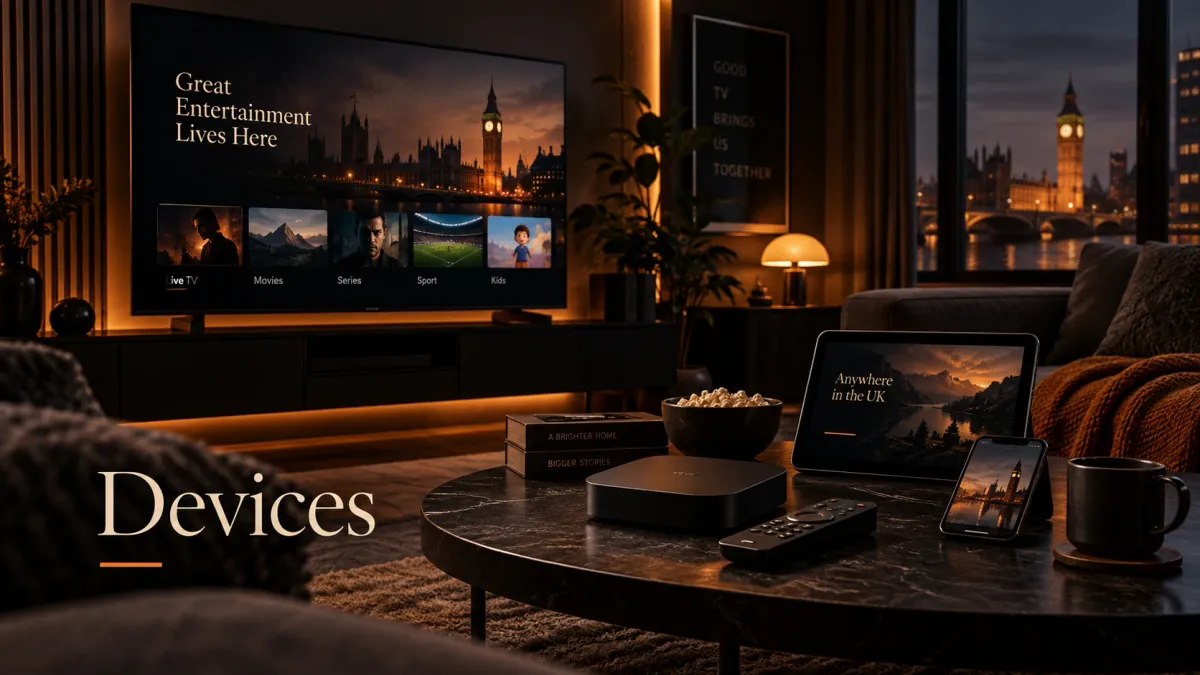
An IPTV box is useful when you want more than the smallest streaming stick can offer.
That might mean:
built-in Ethernet;
more storage;
USB ports;
recording;
a stronger remote-control experience;
a traditional live-TV interface;
broader Android TV app support;
better codec or HDR support.
But there is no single box that is automatically best for every UK household.
The right choice depends on **how you intend to watch**.
A person who wants TiviMate plus mainstream streaming apps has different needs from someone who wants a dedicated set-top-box interface built around live TV.
This guide compares the main IPTV box classes and the hardware features that actually matter.
For a broader comparison that also includes Smart TVs, Fire TV sticks, Apple TV, phones and computers, use the IPTV devices guide.
If you already know the hardware and only need an app, use the IPTV apps and players guide.
Quick IPTV box comparison
The key word is **class**.
Do not choose only from a spec sheet.
Comparison table
| Box class | Main advantage | Main limitation | Best suited to |
|---|---|---|---|
| Certified Google/Android TV box | Broad TV-app ecosystem and familiar Google Play access | Hardware/specs differ widely by model | Users who want app flexibility |
| Formuler IPTV-first receiver | MYTVOnline interface, Ethernet, storage and TV-style workflow | More specialised than a general streaming box | Users who want a set-top-box feel |
| NVIDIA Shield TV Pro | Premium Android TV hardware, Ethernet, USB, local-media flexibility | Older platform generation and premium price | Power users and mixed media setups |
| Fire TV Cube / Fire TV box-class device | Strong mainstream streaming ecosystem | Amazon platform/app rules differ from Android TV | Amazon households |
| Generic Android box | Often cheap with lots of advertised RAM/storage | Certification, firmware and update quality vary substantially | Only buyers who verify the exact hardware |
| Portal/MAG-style receiver | Simple portal-based TV workflow | Limited app flexibility | Users whose service specifically requires that model |
Do you actually need an IPTV box?
Maybe not.
Before buying extra hardware, ask whether your current television or streaming device already does what you need.
A new box becomes more useful when:
If your existing device already runs the player smoothly, buying another box may add complexity without solving a real problem.
The seven hardware features that matter most
Ignore inflated marketing numbers first.
Focus on these.
1. App and operating-system support
This is the first filter.
A fast device is not useful if it cannot run the player you want.
For IPTV, common app ecosystems include:
If TiviMate is important, Android TV-class hardware is a natural fit because TiviMate is officially positioned for large-screen Android TV devices.
If you want broader platform flexibility, check the current apps and players guide.
2. Ethernet
For a fixed living-room box, built-in Ethernet is one of the most useful features.
It gives you a predictable alternative to Wi-Fi.
Ethernet is particularly useful when:
A Gigabit Ethernet port does not mean the IPTV stream itself needs gigabit speeds.
The benefit is stable local networking and headroom.
3. Storage
Storage affects:
A device with only a small amount of usable storage can become annoying over time.
More storage is especially useful if:
4. USB and expansion
USB ports can be useful for:
MicroSD support can also matter on some boxes.
Do not assume every Android TV device allows every app to record to every external filesystem.
The player, OS and storage permissions still matter.
5. Video codecs
For modern IPTV/media playback, useful hardware decoding may include:
HEVC is particularly common for efficient high-resolution video.
AV1 is increasingly relevant on newer streaming hardware, but it is not a universal requirement for IPTV.
Do not buy a device just because the product page says “AV1” if your actual sources do not use it.
6. 4K and HDR
A proper 4K box should support the output modes your television needs.
Depending on the hardware, that can include:
The box supporting a format does not mean every IPTV stream uses it.
The source and television must support it too.
7. Remote and TV-style usability
This is underrated.
Daily IPTV use involves:
A device can have powerful hardware and still feel awkward if the remote/interface does not match how your household watches television.
Current device classes worth understanding
Certified Google TV / Android TV boxes
This class gives you access to compatible apps through Google Play.
It is the most flexible choice when you want:
Current reference: Google TV Streamer (4K)
Google's current UK Google TV Streamer is useful as a reference point for what a mainstream certified box can offer.
Current official specifications include:
Those numbers are not minimum IPTV requirements.
They illustrate a modern general-purpose streaming-box design with:
- Android TV OS;
- up to 4K HDR at 60 fps;
- 4 GB memory;
- 32 GB storage;
- Gigabit Ethernet;
- Wi-Fi;
- HDMI 2.1;
- HDR10+ and Dolby Vision.
- enough local storage for several apps;
- built-in Ethernet;
- a certified TV app ecosystem.
Best fit
This class is useful if you want:
- app choice;
- Google Play;
- familiar Android TV navigation;
- built-in Ethernet on suitable models;
- one box for IPTV and mainstream streaming.
Formuler boxes: IPTV-first hardware
Formuler is different from a generic Android TV box because its identity is built strongly around IPTV/set-top-box use through MYTVOnline.
Current Formuler hardware has progressed beyond the Z11 generation.
The current official Formuler range includes Z12 models using MYTVOnline4, while Z11 models remain listed with MYTVOnline3.
Current Formuler Z12 family
Formuler's current specifications list models such as:
Depending on the model, current official specifications include:
- Z12 Pro;
- Z12 Ultra;
- Z12 Ultra SE.
- Android 12;
- 4K at 60 fps;
- AV1 and HEVC decoding;
- Gigabit Ethernet;
- USB;
- MicroSD expansion;
- HDR10+;
- HLG;
- Dolby Vision on selected models;
- 16 GB, 64 GB or 128 GB internal storage depending on model;
- MYTVOnline4.
Current Formuler Z11 Pro Max
The Z11 Pro Max remains relevant.
Current official specifications include:
- 4 GB RAM;
- 32 GB storage;
- Gigabit Ethernet;
- Wi-Fi 6-class connectivity;
- USB 3.0 and USB 2.0;
- MicroSD;
- AV1;
- HEVC;
- 4K 60 fps;
- HDR10+;
- MYTVOnline3.
Why Formuler is different
The strongest reason to choose Formuler is not raw processor power.
It is the integrated live-TV workflow.
MYTVOnline is designed around:
That can feel closer to a traditional television receiver than installing a general IPTV app on a standard Android TV box.
- channel navigation;
- programme guide;
- groups;
- live TV;
- catch-up where supplied;
- recording functions where supported.
Best fit
Choose this class when:
- live TV is the primary use;
- you want a set-top-box interface;
- Ethernet and storage matter;
- you value a dedicated TV remote workflow;
- MYTVOnline is specifically attractive to you.
NVIDIA's current Shield TV Pro remains a distinctive option because it combines Android TV with stronger local-media and USB functionality than many compact streamers.
Current official specifications include:
Strengths for IPTV
For IPTV specifically, the useful parts are:
- Android TV app ecosystem;
- wired Ethernet;
- USB ports;
- responsive interface;
- strong video decoding;
- expandable storage.
What to understand before buying
Shield TV Pro is not the newest device family in this comparison.
Its value comes from its mature Android TV platform and broad media capabilities rather than being the newest codec/spec sheet.
For example, NVIDIA's current official specifications do not list AV1 hardware decoding.
That does not make it unsuitable for IPTV.
It means you should buy it for the features it actually has.
Best fit
Choose Shield TV Pro when:
- IPTV is only one part of your media setup;
- you use Plex or local media;
- USB matters;
- Ethernet matters;
- you want Android TV app flexibility;
- premium hardware is worth the cost to you.
Fire TV Cube and Amazon box-class hardware
Amazon's Fire TV Cube sits closer to a box than a stick because it is a larger, more capable living-room device.
But Fire TV uses Amazon's platform ecosystem rather than Google TV.
The main considerations are:
Fire TV hardware has also begun transitioning toward Vega OS on newer Stick generations.
That makes exact model/app compatibility increasingly important.
If you are specifically considering Fire TV rather than a generic box, use the dedicated Firestick IPTV guide.
Generic Android boxes: check certification before specs
The phrase “Android box” covers a huge range.
Some boxes are properly designed TV products.
Others are generic devices with impressive-looking specifications but uncertain:
A product page saying:
does not automatically make the box better for IPTV.
Questions to ask
Before buying a generic box, check:
- Is it certified for Google TV/Android TV?
- Does it receive firmware updates?
- Does Google Play work normally?
- Is Ethernet actually Gigabit?
- Does it support the codecs you need?
- Are USB ports usable for storage?
- Is the remote built for TV navigation?
- Is the manufacturer identifiable?
- Are current firmware/support pages available?
- Can the player you want be installed normally?
IPTV-first portal boxes
Some dedicated receivers use a portal-based workflow rather than a typical TV app store.
This can be useful when your service specifically supports that connection method.
Advantages can include:
Limitations can include:
Do not buy a portal-specific box until you know your service supports that exact connection model.
Firestick or IPTV box?
This is one of the most common comparisons.
Choose a Fire TV Stick when
Choose a full IPTV/Android box when
The box is not automatically “faster IPTV”.
It gives you more hardware options and a different living-room workflow.
Formuler or Android TV box?
This comparison is mainly about interface philosophy.
Formuler
Best suited to:
- television-first use;
- MYTVOnline;
- traditional guide navigation;
- recording/catch-up workflows;
- users who want less app configuration.
General Android/Google TV box
Best suited to:
If the household wants IPTV to feel like a conventional receiver, Formuler can make sense.
If you want to choose the player yourself, Google/Android TV is usually more flexible.
- app choice;
- TiviMate/Sparkle/Smarters;
- mainstream streaming apps;
- flexible media use.
Formuler or NVIDIA Shield?
Both can be strong devices, but they solve different problems.
Choose Formuler when
- live TV is the main use;
- MYTVOnline is a priority;
- you want a TV-centric remote/interface;
- current Z12 hardware/codec/storage options appeal to you.
Choose Shield TV Pro when
Neither needs to be declared the universal winner.
- IPTV is one part of a broader media setup;
- you want Plex/local media;
- USB expansion matters;
- Android TV app flexibility matters;
- Dolby Vision and AI upscaling are useful.
Google TV Streamer or Formuler?
Google TV Streamer
Better fit when:
- you want mainstream Google TV;
- Google Play app selection matters;
- IPTV is one of several streaming uses;
- built-in Ethernet and 32 GB storage are enough.
Formuler
Better fit when:
- IPTV/live TV is the central use;
- MYTVOnline matters;
- you want larger storage options;
- USB/MicroSD expansion matters;
- you want a set-top-box-style interface.
Cheap Android box or certified streamer?
For a first-time buyer, a certified mainstream streamer is often easier to evaluate.
Why?
Because you can verify:
A cheap generic box may still work well.
The problem is uncertainty.
If the saving is small, certification and support can be more valuable than a larger RAM number.
How much RAM do you need for IPTV?
There is no universal minimum that guarantees a smooth IPTV experience.
RAM affects:
But performance also depends on:
Do not accept claims such as:
“4 GB RAM is mandatory for IPTV.”
Many devices with less memory can play a single stream perfectly well.
More RAM becomes more useful as the workload becomes heavier.
How much storage do you need?
For basic streaming, storage requirements are modest.
Storage matters more when you:
Basic use
16–32 GB can be comfortable for a few apps.
Heavier use
64 GB or more becomes useful when:
External USB/MicroSD support can matter more than the internal number.
- recording locally;
- keeping many apps;
- storing media.
Does recording change which box you should buy?
Yes.
Recording pushes you toward hardware with:
Also check the provider-side connection allowance.
Recording one channel while watching another may require more than one simultaneous stream.
That is a service/account issue, not only a box feature.
Does multiview require a powerful box?
More than single-channel playback.
Multiview can require:
A device that plays one 4K stream perfectly may not handle four live streams in multiview equally well.
If multiview matters, buy for that workload specifically.
Which codecs matter?
H.264 / AVC
Still extremely common.
Almost every modern streaming box handles it.
H.265 / HEVC
Useful for efficient HD and 4K streams.
Modern IPTV-capable boxes generally support it.
AV1
Increasingly common on newer hardware and mainstream streaming services.
Current Formuler Z12/Z11 hardware supports AV1.
NVIDIA's current Shield TV Pro specifications do not list AV1 hardware decoding.
Do not turn that one codec into the entire buying decision.
MPEG-TS / HLS
These are stream/container delivery considerations rather than only hardware codecs.
Player software often handles the workflow.
If a provider uses a format your player does not handle well, changing the box may not be the only solution.
Does a 4K box guarantee 4K IPTV?
No.
The box can only output what it receives.
You need:
If the source is 1080p, a “4K box” cannot turn it into native 4K.
Some devices can upscale the picture, which is different.
HDR10, HDR10+ and Dolby Vision
These formats matter mostly if:
Current hardware examples differ:
Google TV Streamer
Current official support includes:
- HDR10+;
- Dolby Vision.
Formuler Z12 Ultra / Ultra SE
Current official specifications list:
- HDR10+;
- HLG;
- Dolby Vision on selected Z12 models.
NVIDIA Shield TV Pro
Current official specifications include:
Do not pay for a format your television cannot display.
- HDR10;
- Dolby Vision.
Ethernet: 100 Mbps or Gigabit?
A single IPTV stream rarely needs anything close to 1 Gbps.
So why prefer Gigabit?
Because it gives:
For IPTV alone, a stable 100 Mbps wired connection can still be more than adequate for many streams.
The important factor is stability.
Wi-Fi 5, Wi-Fi 6 or Wi-Fi 6E?
Newer Wi-Fi standards can help with:
But the benefit depends on:
A Wi-Fi 6E box connected to an old router does not gain 6 GHz capability.
If Ethernet is practical, wired networking removes many of these variables.
Why storage speed matters too
Product pages usually advertise storage capacity.
They rarely highlight storage speed.
Slow storage can affect:
This is another reason not to judge generic hardware only by the number printed beside “64 GB”.
The quality of the implementation matters.
What about 8K IPTV boxes?
Treat 8K labels cautiously.
Ask:
For most UK IPTV use in 2026, stable HD/FHD/4K support is much more relevant than an 8K marketing badge.
What about “fully loaded” boxes?
A box sold as “fully loaded” may come with:
That is different from buying clean hardware and adding your own authorised service.
For a reliable long-term setup, it is safer to understand:
Do not buy hardware only because it promises “all channels included”.
The hardware and subscription are separate decisions.
Hardware cannot fix a weak IPTV service
A £200 box cannot repair:
A better box can help when the previous hardware was the bottleneck.
It cannot solve every buffering or reliability issue.
When an expensive box is worth it
Paying more makes sense when you will use the extra hardware.
Examples:
If you only want one player and one stream, a simpler device can be enough.
Current availability and pricing caveat
Hardware prices change frequently.
So do:
For example, Google's UK Store currently lists the Google TV Streamer (4K) as a live retail product, while Formuler's official site currently lists both the newer Z12 family and older Z11 range.
NVIDIA still maintains a current product/specification page for Shield TV Pro.
That does not mean the same device is always available from every UK retailer at the same price.
Before buying:
Do not buy from specs alone
A good IPTV box should pass this checklist.
Platform
- My preferred player is available.
- The OS is current enough for the apps I use.
- The app store or installation method is clear.
Network
- Ethernet is available if I want wired use.
- Wi-Fi standard matches my home network.
Storage
- Enough internal storage for my apps.
- USB/MicroSD available if I need recording or media.
Video
- H.264 supported.
- HEVC supported.
- AV1 only if I actually need it.
- 4K 50/60 fps supported if relevant.
- HDR format matches my television if relevant.
TV use
- Remote is comfortable.
- Guide navigation is responsive.
- Sleep/wake is reliable.
- HDMI-CEC works with my setup if needed.
Support
- Manufacturer has a real support site.
- Firmware updates exist.
- Specifications can be verified.
How to set up an IPTV box
This page is intentionally about **selection**, not step-by-step setup.
After buying the hardware:
For the full setup workflow, use the IPTV installation guide.
FAQ
What is the best IPTV box in the UK?
There is no single universal best box. Google/Android TV boxes offer app flexibility, Formuler focuses on IPTV-first MYTVOnline workflows, NVIDIA Shield TV Pro is a premium all-round media box, and Fire TV is useful for Amazon-focused households.
Is Formuler good for IPTV?
Formuler is specifically designed around live-TV/IPTV use through MYTVOnline. Current Z12 models add MYTVOnline4, Gigabit Ethernet and modern codec support, while Z11 models remain relevant with MYTVOnline3.
Is NVIDIA Shield still good for IPTV in 2026?
Yes, its current official specifications still provide Android TV, Gigabit Ethernet, USB expansion and 4K HDR playback. It is especially useful when IPTV is part of a broader Plex/local-media setup.
Does NVIDIA Shield support AV1?
NVIDIA's current official Shield TV Pro specifications do not list AV1 hardware decoding. That is one area where newer streaming hardware can have an advantage.
Is Google TV Streamer good for IPTV?
It is a mainstream certified Android TV OS device with 32 GB storage and Gigabit Ethernet, making it a strong general-purpose platform for compatible IPTV apps.
Is a Formuler better than Google TV Streamer?
It depends on the workflow. Formuler is more IPTV/live-TV focused through MYTVOnline. Google TV Streamer is more general-purpose and gives you the broader Google TV app ecosystem.
Is an IPTV box better than a Firestick?
A box can provide more ports, Ethernet, storage and recording flexibility. A Firestick is smaller and usually cheaper. Use the full box when you need the extra hardware.
How much RAM does an IPTV box need?
There is no universal minimum. More RAM helps large guides, app switching and multiview, but processor, firmware and storage performance also matter.
Do I need 4 GB RAM for IPTV?
No. Many devices with less memory can play a single stream smoothly. Four gigabytes becomes more useful for heavier app use, large playlists and multitasking.
How much storage should an IPTV box have?
For basic streaming, 16–32 GB can be comfortable. Recording, many apps or local media can justify 64 GB or more or external storage support.
Is Gigabit Ethernet necessary?
No. IPTV streams generally use far less than 1 Gbps. Gigabit is useful for headroom, local media and future flexibility, while a stable slower Ethernet connection can still work well.
Is AV1 important for IPTV?
It can matter for newer sources and streaming platforms, but it is not a universal requirement. H.264 and HEVC remain highly relevant.
Does an 8K Android box give better IPTV quality?
Not automatically. The source determines the native video quality. An 8K label does not make a 1080p IPTV stream become native 8K.
Can I record IPTV on a box?
Yes on suitable player/device combinations, but you need writable storage and enough provider connections for the recording workflow.
Is a cheap generic Android box safe to buy?
Some can work, but verify the manufacturer, Android/Google TV certification, updates, app store, Ethernet, codec support and warranty before choosing based on price or RAM/storage claims.
Should I buy a “fully loaded” IPTV box?
It is safer to separate the hardware from the subscription and understand exactly which software and account you are using. A preloaded box does not prove that the included content is authorised, stable or maintainable.
Do I need an IPTV box at all?
Not necessarily. If your current Smart TV, Fire TV or other device already supports the player and works smoothly, you may not gain much from another box.
Final buying framework
Use this order:
**Player support → Ethernet/network → storage/recording → codecs/4K/HDR → remote/interface → software support → current price.**
Then choose the class: